Every creator on Instagram, TikTok, YouTube, and X runs into the same wall: one clickable link in the bio. A link-in-bio tool turns that single slot into a hub for your store, your other socials, your latest video, and whatever you are promoting this week. The field in 2026 runs from free pages you set up in two minutes to full website builders. Here is how the leading options compare on features, price, and the one thing most roundups skip: whether your link actually survives being posted on social media.
Short answer: the best link in bio tool is the one that loads fast, stays free, and keeps your link from getting flagged. For most creators that means a dedicated page on an established domain. ItsMyLinks has done it free since 2005 with no cut of your earnings, Linktree and Beacons are the fastest to set up, and a builder like Carrd is best if you want your own custom domain.
What to Look for in a Link in Bio Tool
Five things separate a link page that works from one that costs you traffic: setup speed, customization, analytics, price, and link safety.
Every platform limits profile links, including the guidance in YouTube Help.
Ease of Setup and Daily Use
You will edit this page constantly, so adding, removing, and reordering links should take seconds. Linktree and Beacons are built around fast sign-up and drag-and-drop editing. Milkshake builds the whole page on your phone, which suits creators who live in the mobile apps and never touch a desktop.
Customization and Branding
Your link page is an extension of your brand, so the free tier matters. Some free plans give you a color swap and nothing else. Campsite's free plan includes a mini-bio, profile photo, icons, and photos attached to links, which is more than Linktree's free tier allows. Removing a tool's own branding from your page usually requires a paid plan.
Analytics and Insights
Knowing which links get clicked tells you what your audience actually wants. Most dedicated tools include basic click tracking free; Linktree tracks clicks per link with no upgrade. Paid plans add geography, click-through trends, and Google Analytics hooks. Builders like Carrd and Squarespace go deeper but take more setup.
Pricing Models
Cost ranges from completely free to a monthly subscription to a one-time fee. Lnk.Bio runs a free plan with unlimited links and basic stats, a Mini plan at $0.99 per month, a one-time Unique plan at $24.99, and an Ultra plan at $89.99 per year. ItsMyLinks stays free with no revenue share. Canva includes a free link-in-bio builder on a .my.canva.site domain with up to five live sites. Prices move, so confirm on each official site before you commit.
Link Safety on Social Platforms
This is the factor most roundups ignore and the one that quietly kills reach. Instagram and TikTok throttle or block links from domains they do not trust, and a brand-new link domain has no track record to lean on. A page hosted on an older, clean domain is far less likely to get flagged. That is the practical case for either a service that has been online for many years or your own aged custom domain.
Top Link in Bio Tools Compared
These are the link-in-bio platforms creators reach for most in 2026, ordered from free dedicated pages to full builders.
ItsMyLinks
ItsMyLinks has run as a free link in bio tool since 2005, which makes it one of the oldest domains in the category. It never takes a cut of your tips, sales, or affiliate income, and the domain's two decades of clean history mean links from it are less likely to be throttled when you post them in an Instagram or TikTok bio. You get one page for every social profile, store, and booking link, with no subscription and no upsell to unlock the basics.
Linktree
Linktree is the most recognized name in the category. Its free plan tracks clicks per link, so you can see what drives traffic without paying. Customization on the free tier is limited; paid plans add advanced analytics, more design control, and link scheduling. It is a safe first pick for creators who want something simple and proven.
Beacons
Beacons sits next to Linktree as a top free option. The free plan gives you a clean page with links, an image, and a mini-bio, plus built-in tools for selling products and taking tips. Creators who want monetization baked in without a separate store tend to land here.
Lnk.Bio
Lnk.Bio has stayed independent since 2016 with no price hikes in that time. The free tier gives unlimited links and basic stats, which is generous for the category. Upgrades start at $0.99 per month, with a one-time Unique plan at $24.99 and an annual Ultra plan at $89.99. Agency plans start around $2 per month for creators running several pages.
Campsite
Campsite's free plan is more generous than Linktree's. You get a mini-bio, profile photo, icons, and photos attached to individual links without paying, which gives your page a finished look sooner. Paid plans add themes and deeper analytics.
Shorby
Shorby markets itself as a dedicated Instagram link tool built for speed. Feature depth varies by plan, so check the current pricing on its site before committing. It is worth a look if Instagram is your only platform and you want a focused page.
Milkshake
Milkshake is a phone-built mini-website aimed at creators who do not have their own site. You assemble the page from card-style panels, which looks great but caps how many destinations you can list. It fits creators showcasing a handful of links rather than a long menu.
Canva
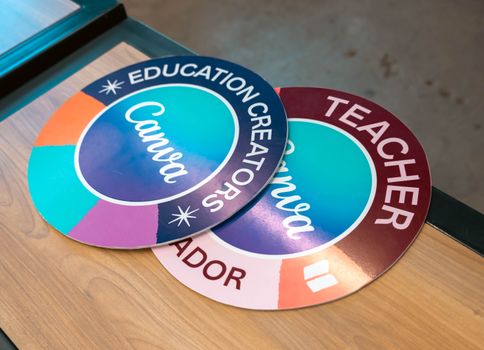
Canva extends its design app with a free link-in-bio builder on a .my.canva.site subdomain. Free accounts get up to five live sites, and Canva Pro adds Website Insights. If you already build your graphics in Canva, keeping the link page there is convenient, though you are tied to Canva hosting and limited third-party integrations.
A DIY Page on Your Own Site
If you already run a site on Carrd or Squarespace, a simple link page costs nothing extra and gives you full control of the design and the domain. The trade-off is that you lose the Instagram-specific extras like shoppable grids and have to set up your own click tracking.
Dedicated Tools vs Full Website Builders
Dedicated link-in-bio tools win on speed; full website builders win on control and room to grow.
Dedicated tools like ItsMyLinks, Linktree, Beacons, and Lnk.Bio get you a working page in minutes with click tracking out of the box. You trade some design freedom for that speed. Full builders like Carrd and Squarespace give you custom domains, deeper customization, and a page you can later expand into a full site. They are more than you need for a single bio link, but they leave room to scale.
If you only need a clean page that loads fast and does not get flagged, a dedicated tool is the faster path. If you want a custom domain and plan to grow the page into something bigger, a builder pays off. Many creators start on a free dedicated tool and move to a builder once they outgrow it.
Frequently Asked Questions
What is the best free link in bio tool?
For a free tool with no revenue share, ItsMyLinks, Linktree, and Beacons lead the list. ItsMyLinks has been free since 2005 and takes no cut of your earnings. Campsite's free plan stands out for customization, and Lnk.Bio's free tier includes unlimited links. The right pick depends on whether you value link safety, design flexibility, or built-in selling.
What is the best link in bio tool for creators in 2026?
The best link in bio tool for creators is the one that is free, fast to edit, and hosted on a domain that platforms trust so your link does not get throttled. ItsMyLinks fits that profile for most creators; Linktree and Beacons are strong if you want the most familiar interface.
Can I use Canva for my link in bio?
Yes. Canva has a free link-in-bio builder. You pick a template and publish on a free .my.canva.site domain, with up to five live sites on a free account. Canva Pro adds Website Insights for analytics. It is a good fit if you already design in Canva.
Do I need a paid link in bio tool?
Usually not. Free plans from ItsMyLinks, Linktree, Lnk.Bio, and Campsite cover multiple links and click tracking. Paid plans add advanced analytics, custom domains, and more branding control. Start free, and upgrade only when you need a specific feature.
Why do my bio links keep getting flagged on Instagram?
Instagram flags links from domains it does not trust, especially new or low-reputation ones. Hosting your link page on an established domain with a long clean history reduces the odds of being throttled. Keep the page professional, avoid prohibited destinations, and consider a tool that has been online for years.
Can I build my own link page without any service?
Yes. If you have a site on Carrd or Squarespace, you can build a link page for free with full control of the design and domain. You give up the Instagram-specific extras like shoppable grids and have to add your own click tracking.
The right call comes down to what you weigh most. Want speed and a familiar setup? Linktree or Beacons. Want free with no cut and a domain that keeps your link alive in your bio? ItsMyLinks. Want a custom domain and room to grow into a full site? Carrd or Squarespace. Check the current features and pricing on each official site before you commit, since plans in this category change often.